
Everything it does, on hardware you own.
Run models on your own machines and use them from chat, your editor, your agents and your scripts, wherever you are.
Feels like a cloud app. Runs on your machine.
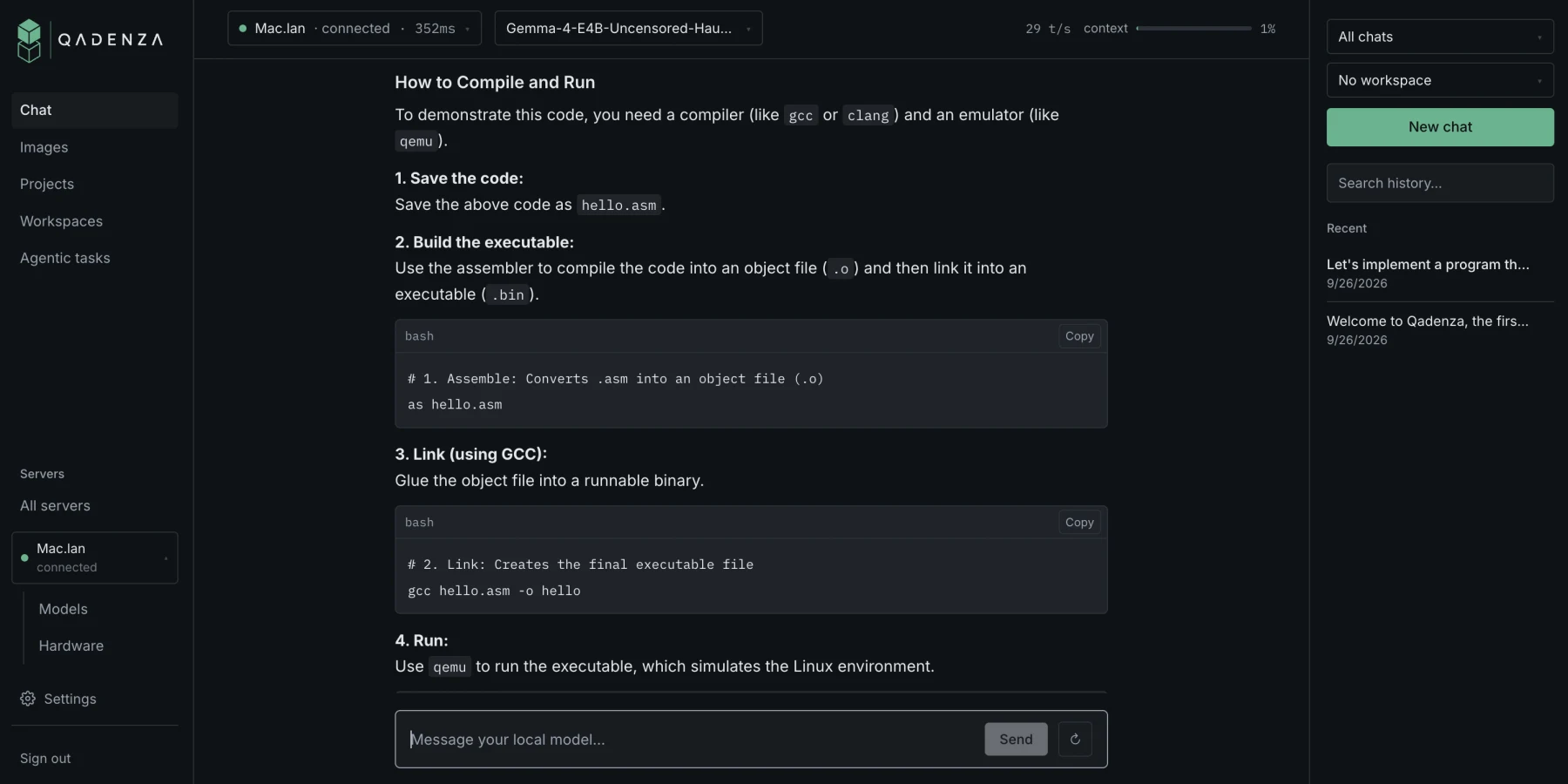
Everything you'd expect from a hosted assistant, without handing your data to one: streaming replies, code blocks you can copy, chats that pick up where they left off.
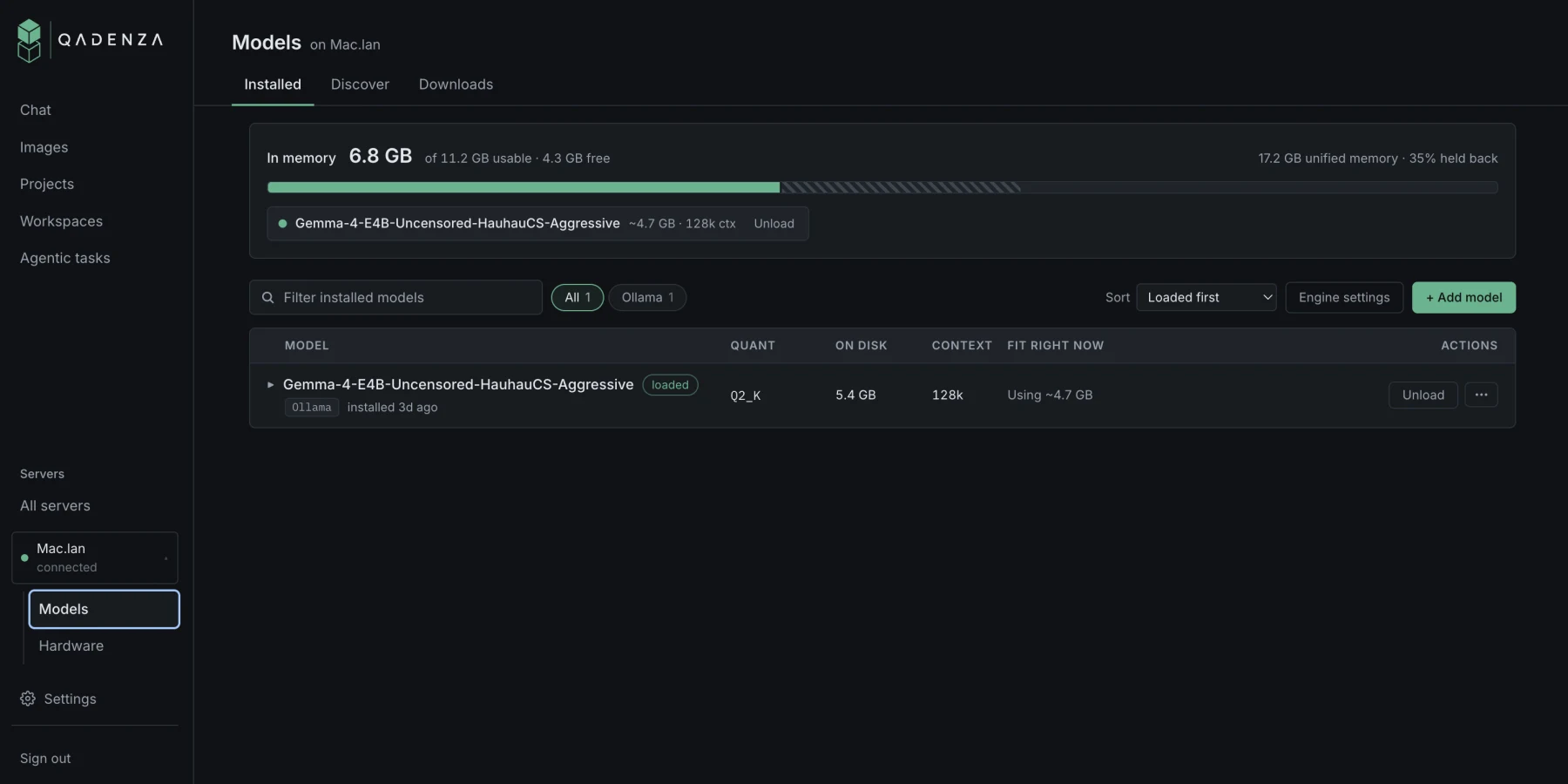
Flexible models, no token limits.
Know a model will run before you download it. Then use it as much as you like. Your hardware is the only limit.
- Fit, before you download. Each model is checked against the memory that's free right now.
- Ollama or llama.cpp. One-click install on either engine.
- Bigger than one GPU. Split a model across every card in the box, and choose how.
- Any GGUF. Sharded downloads, and safetensors converted to GGUF on the machine.
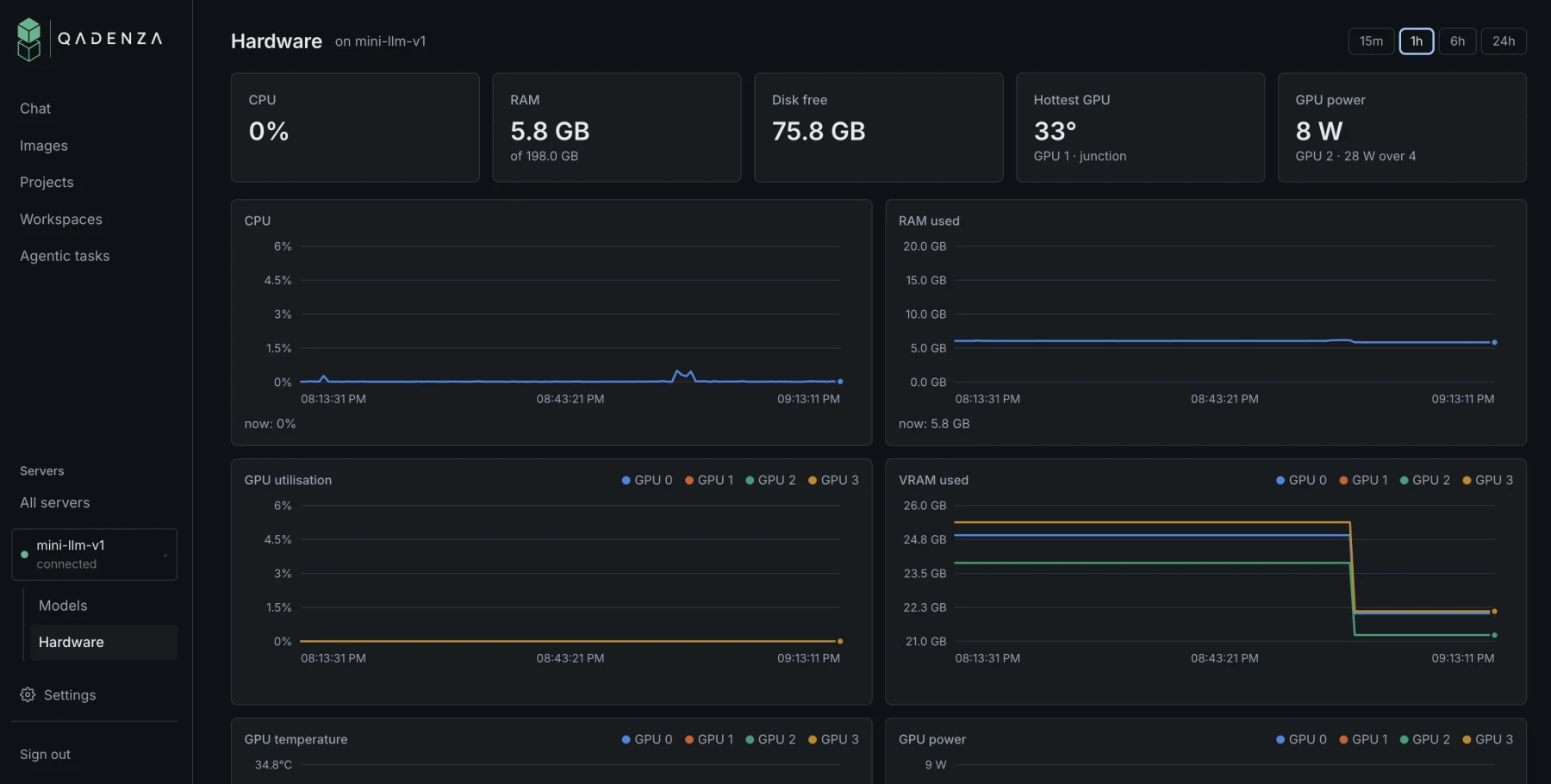
Every machine, one dashboard.
Check on every machine you own from one place, whether you're at your desk or across the country.
- Every machine at a glance. CPU, RAM, GPU temps and power, with an hour of history.
- Swap models remotely. Load, unload and pull new ones from wherever you are.
- Hands-off updates. Agents keep themselves current.
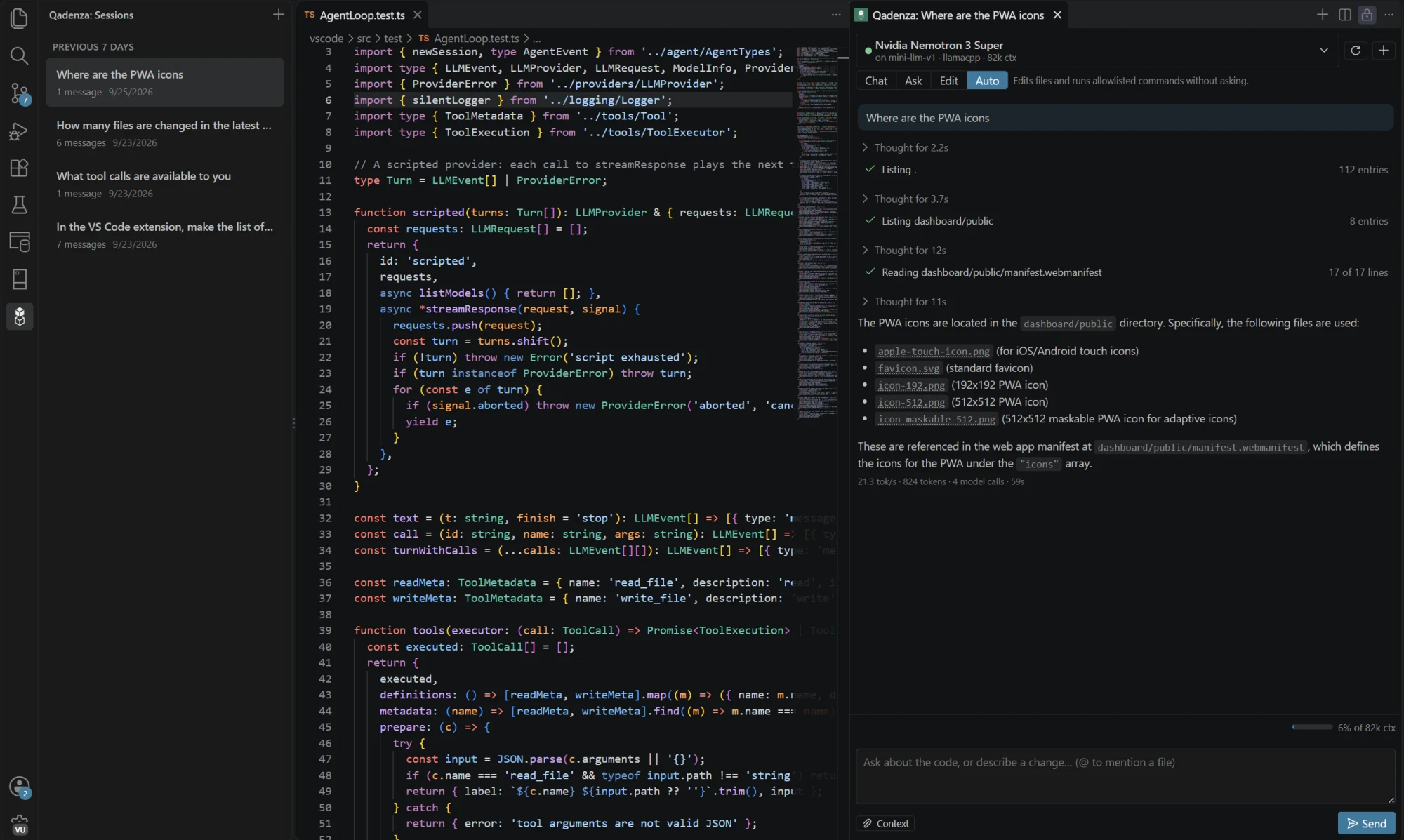
Your models inside VS Code, Claude Code and Cursor.
The extension turns your models into a coding agent that can analyze your code base and propose edits. Use models from any of your machines.
- Tool calling
- Agents
- Proposed edits
Plug into the tools you already use.
MCP works both ways: give your models tools like Filesystem, Git and GitHub, or add Qadenza to Claude Code and other agents.
Anything that speaks the OpenAI API, from the official SDKs to Cursor and Open WebUI, can use the models on your machine.
Give your models tools
One click from the gallery
- Filesystem
- Git
- Fetch
- Memory
- GitHub
Or connect any MCP server, local or remote
- Linear
- Sentry
- Notion
- Postgres
- your own
Use your models from other agents
$ claude mcp add qadenza -- qadenza mcptools: server_status · list_models · chat
from openai import OpenAI

client = OpenAI(
    base_url="https://<your relay>/v1",
    api_key="<token from Settings → API access>",
)
stream = client.chat.completions.create(
    model="qwen3-coder-30b",  # any model on your servers
    messages=[{"role": "user", "content": "Review this diff"}],
    stream=True,
)
Works with anything that takes a custom OpenAI base URL
- OpenAI SDKs
- Cursor
- Continue
- Open WebUI
- LangChain
- curl
And the details that make it hold up.
Fit check
Know a model fits the free memory on that machine before you pull 40 GB.
Multi-GPU split
Spread one model across every card, and choose how llama.cpp divides it.
Thermal pause
A GPU at its limit pauses generation instead of ending the engine.
Self-updating agents
Agents update themselves from a release channel.
Revocable tokens
One API token per tool, each revocable without touching the machine.
On your phone
Install the dashboard on your phone and chat from anywhere.
Image generation
Generate images on your own GPU, from the same dashboard.
Hardware history
An hour of CPU, RAM, GPU temperature and power for every machine.
One heavy coding-agent month on a hosted API is a recurring bill. The same workload on your own card costs the electricity.
Your GPU, from anywhere.
Qadenza is in closed beta. Leave your email and we'll send an invite when a spot opens.